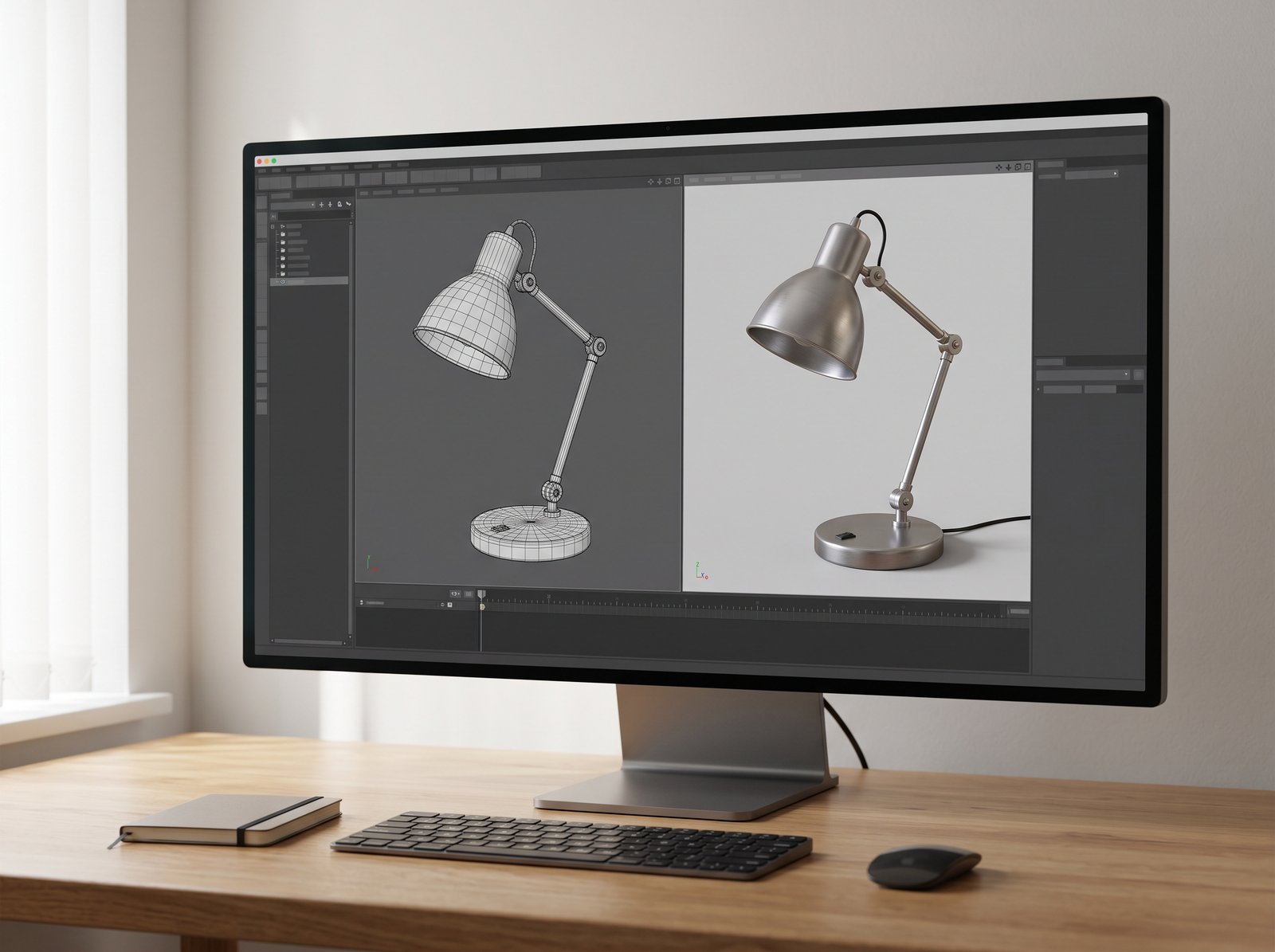
sfmcompilr is not a name this research could verify as an official Valve product or a clearly documented standalone application. It may be a misspelling or search variation related to “SFM compiler” or “SFM compile,” but that interpretation remains uncertain. If you are trying to prepare a custom model for Source Filmmaker, the documented process involves model compilation, with tools such as StudioMDL and Crowbar.
Table of Contents
That distinction matters. Someone looking for an animation website needs a different answer from someone trying to make a model appear in a scene. A similar spelling does not prove that two tools, websites, or communities are connected.
This guide explains the likely technical meaning, identifies the tools that can be verified, and provides a practical starting point for beginners. It focuses on the original Source Filmmaker workflow rather than making claims about an unverified service.
What Does sfmcompilr Mean?
The exact term does not have an established definition in the official product materials reviewed for this article. Valve identifies its filmmaking software as Source Filmmaker, usually shortened to SFM. Its official materials do not establish “sfmcompilr” as another name for that application.
There are several possible reasons someone might search for the term. They may have mistyped “SFM compiler,” copied a name from a post, or be looking for a particular website. Without an exact URL or product reference, those possibilities cannot be resolved with confidence.
For readers interested in creating animation, the useful question is more specific: “How do I prepare a model so Source Filmmaker can use it?”
That is the question the rest of this guide addresses. It should not be read as a review, endorsement, or download guide for a product called sfmcompilr.
How to Make Your Search More Useful
Add the task you want to complete to your search. For example, search for “Source Filmmaker custom model compilation” when working with a new model, or “Source Filmmaker movie export” when trying to save a finished animation.
If you are following a tutorial, note the program name shown in the screenshots. Also check whether the instructions concern model creation, compilation, scene animation, or movie output.
A precise task description is more useful than repeatedly searching an uncertain name.
What Is Source Filmmaker?
Source Filmmaker is Valve’s movie-making software built around the Source game engine. Valve describes it as a way to create movies using game assets in a scene with cameras, lighting, and animation. It is available through the official Source Filmmaker Steam listing. store.steampowered.com
It helps to imagine SFM as a virtual film set. You arrange actors and props, choose camera positions, control movement, and develop the shot.
However, a film set is different from a workshop that builds every object used on it. Valve’s Source Filmmaker FAQ explains that SFM does not create polygonal meshes, sounds, or textures. Those assets are made with other tools. sourcefilmmaker.com
For beginners, this suggests a useful learning order: first learn to make a small scene with working assets, then learn how to prepare your own custom content.
You do not need to master every stage of asset production before making your first animation.
Model Compilation and Movie Rendering Are Different Jobs

Model compilation prepares an asset for an engine. Rendering creates the visible output of a scene. Editing a compilation video means assembling clips into a larger video.
These jobs can share similar words while solving different problems.
| Task | What you are working on | What you want |
|---|---|---|
| Model compilation | A model’s source data and build instructions | An engine-readable model |
| Scene animation | Objects, cameras, lights, and movement | A finished shot |
| Movie rendering or export | The completed scene | Viewable images or video |
| Video compilation | Existing clips | An edited collection of clips |
StudioMDL is the model compiler associated with the Source workflow. The Valve Developer Community’s StudioMDL reference describes it as converting intermediate model formats into the binary model format used by the engine. Valve Developer Community
If a model has not been built correctly, changing movie export settings will not address the underlying compilation problem. Equally, if a scene works but its final output is wrong, rebuilding every model may be unnecessary.
Before changing settings, identify which stage is failing.
The Tools You May Actually Need
There is no verified all-purpose “sfmcompilr download” to recommend from the evidence reviewed. For the technical workflow, use the documented names below.
Source Filmmaker
Get SFM through Valve’s official Steam page. The listing identifies Valve as both developer and publisher and offers the software free of charge. store.steampowered.com
Start by opening a small scene and confirming that the application works on your computer. Establishing this baseline makes later troubleshooting easier.
A Modelling Application and Exporter
When creating your own geometry, you need a modelling application and an export route suitable for the target engine.
For Blender users, Blender Source Tools is a documented project that adds Source engine support. Its project materials identify SMD and DMX support. Check its current instructions against your Blender version before installing it. GitHub
Do not choose an exporter only because a tutorial is popular. Check the date, the application version, and the intended destination for the exported file.
StudioMDL
StudioMDL performs the model compilation. Treat the compiler and target configuration as part of the project setup, rather than assuming any file named studiomdl.exe will suit every task.
Keep a note of which compiler you used. If a later build behaves differently, that record gives you something concrete to compare.
Crowbar
Crowbar’s official project page describes it as an interface for compiling, decompiling, and viewing GoldSource and Source models. It is a community tool, distinct from Valve’s filmmaking application. steamcommunity.com
The developer’s requirements and features page states that model compilation requires the appropriate game tools and their StudioMDL executable. Crowbar provides the interface; it still needs a compiler. steamcommunity.com
This is a useful distinction when troubleshooting. Installing Crowbar does not, by itself, confirm that the required compiler paths are configured.
A Plain-Text Editor
A plain-text editor is useful for inspecting build instructions and material definitions.
Give each file a clear name, keep backups, and check its full extension. If your file manager hides extensions, enable their display before diagnosing a file that the tools cannot recognise.
The Main File Types, in Plain English
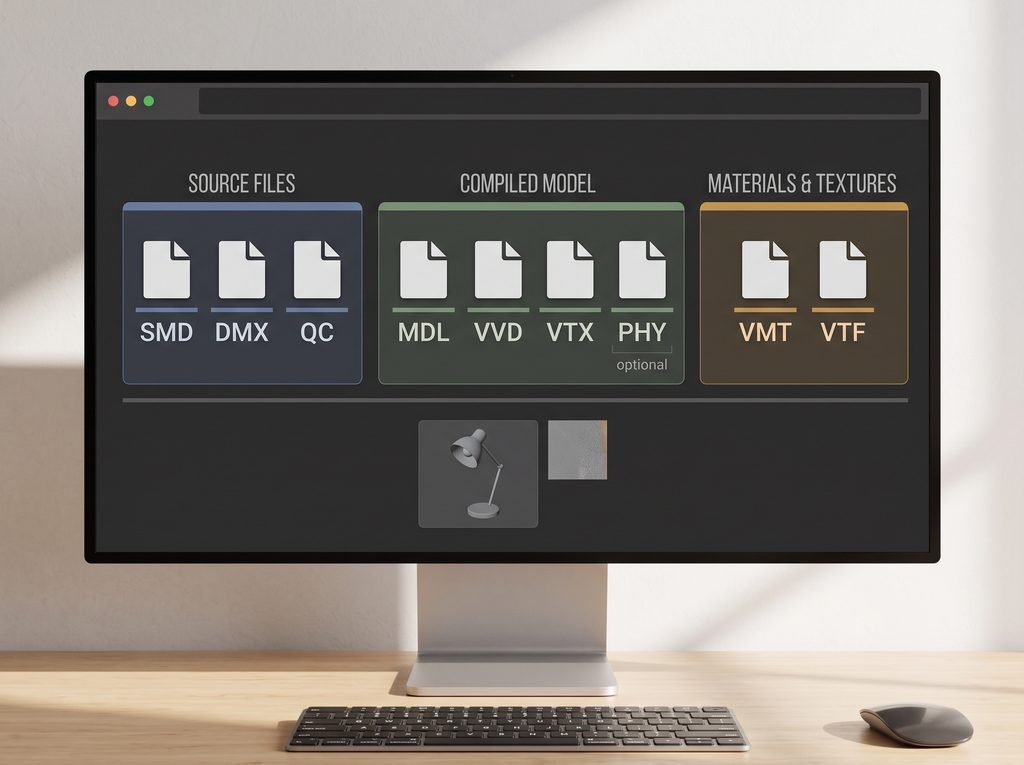
You do not need to memorise every Source file format. Start with the files you can see in your own project.
| File type | Basic role |
|---|---|
| SMD | Intermediate geometry or animation data |
| DMX | A data format used in supported Source export workflows |
| QC | Instructions for assembling and compiling a model |
| MDL | The main compiled model file |
| VVD and VTX | Companion files containing model data |
| PHY | Collision data, when included |
| VTF | Texture image data |
| VMT | Material instructions and texture references |
Facepunch’s guide to important Source file types explains the SMD, QC, MDL, companion-file, and material roles. It is written for Garry’s Mod, so use it for shared format concepts rather than copying game-specific setup instructions into SFM. Garry’s Mod Wiki
The practical lesson is simple: a working asset may consist of several related files. When organising or transferring a model, preserve the supplied package and its folder structure.
A Beginner Workflow for SFM Model Compilation
The following is a planning and troubleshooting workflow. Exact export options and build instructions depend on the model and tool versions.
1. Begin With a Small Test Asset
Choose a simple prop before attempting a detailed character.
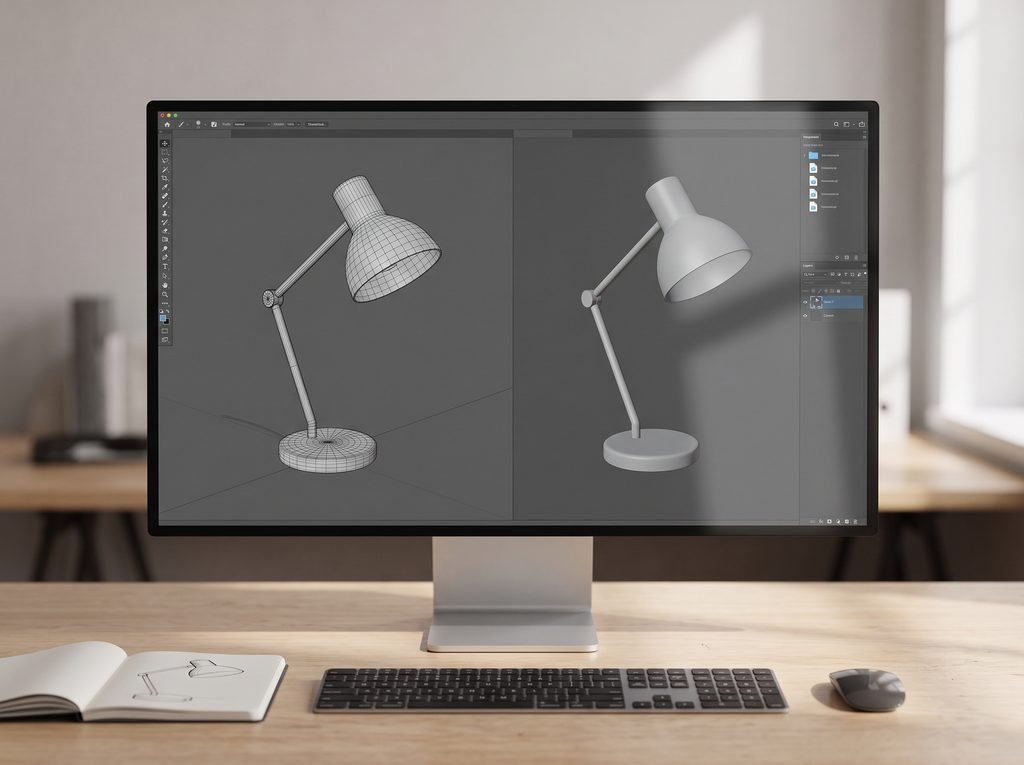
Hypothetical example: suppose your goal is to use a custom desk lamp in an animated room. Start with the lamp’s basic shape and one uncomplicated surface. Leave extra variations and decorative details for later.
This makes the first goal clear: get one recognisable object into a test scene. You can judge that result without also debugging a complex character performance.
Save a separate copy of the original modelling project before making export-related changes.
2. Record the Tools and Target
Write down the modelling application version, exporter version, intended SFM installation, and compiler location.
Also record where your source files live and where you expect the compiled output to appear.
This small project note can prevent a common debugging problem: following instructions for one setup while unknowingly using another.
If you change any part of the setup, update the note. Avoid relying on memory once you have several test folders.
3. Export the Intended Content
Use the exporter’s instructions to produce suitable intermediate files. For Blender Source Tools, consult its own documentation rather than assuming a generic Blender export tutorial covers the same workflow. GitHub
Before compiling, confirm that the expected files exist. Check their names and modification times so you know you are using the latest export.
Be deliberate about what you export. A test should contain the intended object and whatever supporting data it needs, without unrelated scene content.
4. Prepare the QC Instructions
A QC file tells the compiler how to assemble the model. It can specify the output name, source geometry, material search location, and animation information. Garry’s Mod Wiki
For a first attempt, work from an example meant for the same target and a similar kind of asset. Read each reference and replace it with the correct project value.
Do not leave unfamiliar lines in a script simply because they appeared in someone else’s character tutorial. If you cannot explain why a setting is needed for your test, investigate it before adding more complexity.
5. Check Materials Separately
Source materials and textures perform different roles. A texture supplies image data; a material describes how the surface is rendered and refers to the textures it uses. Facepunch’s materials and textures guide explains this relationship. Garry’s Mod Wiki
For your first test, keep the surface setup simple.
Compare the material name used by the model with the material file, then check the texture reference inside that file. Work through the references one at a time.
A useful habit is to copy names from the actual files when checking paths. Small spelling differences can be easy to miss when retyping them.
6. Run the Compiler and Keep the Log
Configure Crowbar with the intended target paths, select the QC file, and run the build. Crowbar’s documented features include compile-log saving and access to the output folder. steamcommunity.com
Read the result before opening a large animation project.
If the build fails, begin with the earliest relevant error. Later messages may be consequences of the first failure. Save the full log before trying a change so you can compare the next attempt.
Change one thing at a time. That approach is slower than guessing several fixes at once, but it makes the result much easier to understand.
7. Inspect the Result in a Small Scene
Check the compiled asset in an appropriate viewer or a simple SFM test scene. Crowbar also documents model viewing through the target’s model viewer. steamcommunity.com
Look at the object from several angles. Check its size, orientation, visible surfaces, and any intended movement.
For the hypothetical desk lamp, ask whether its base sits where expected and whether its surface looks correct under straightforward lighting.
Once the small test works, keep it as a reference. Add complexity gradually and save new versions so you can return to the last working state.
How to Approach Common Problems
The suggestions below are starting points for investigation, not guaranteed diagnoses. Use the actual error messages to decide what to check next.
The Compiler Cannot Find a File
Compare the name in the error message with the file that exists on disk.
Check spelling, extension, folder location, and whether the file was exported at all. Also confirm that the script points to the current project rather than an older test folder.
If you recently renamed something, search your project’s text files for the old name.
The Build Finishes, but You Cannot Find the Model
Find the compiler’s output location first. Confirm that new output files were created, rather than assuming the build replaced an earlier copy.
Next, investigate how that output is made available to your SFM setup. Separate “the compiler created it” from “the application can locate it.”
Avoid scattering duplicate copies across several folders. That makes it harder to know which version you are viewing.
The Model Appears, but Its Surface Is Wrong
Check material and texture references before rebuilding unrelated geometry.
A real troubleshooting exchange on the Crowbar project’s forum shows the developer identifying a misspelled texture path in a VMT file. The example is useful because it demonstrates how a small reference error can derail an otherwise plausible setup. steamcommunity.com
In your own project, compare the expected and actual names character by character. If references are correct, continue with the material settings and the target’s support for them.
The Shape or Movement Looks Wrong
Compare the exported result with the source project.
Use a simple pose or short movement to narrow the problem. If only one part behaves incorrectly, focus your investigation there rather than replacing the entire setup.
When asking for help, show both what you expected and what happened. “The left arm moves the torso during this pose” gives someone more to investigate than “the model is broken.”
You Keep Seeing an Old Version
First check timestamps and output names. Then check whether you are looking at the intended project, model, and folder.
Keep a brief version note for each meaningful test. Something as simple as “test 03: corrected material path” can help you avoid repeating the same investigation.
What to Include When Asking for Help
A clear support request should explain your goal, your setup, and the first point where the result differs from what you expected.
Include the tool versions, selected target, relevant log text, and a screenshot that shows the problem. If sharing a QC or material file, include the relevant references and enough surrounding context to understand them.
Remove private folder details where necessary, but preserve useful error text and file extensions.
Also describe what you have already changed. This helps other people avoid suggesting the same unsuccessful step again.
Choosing Downloads and Tutorials
Use the official SFM listing and the documented project pages linked above as your starting points.
For an unfamiliar site using the name sfmcompilr, look for a clear operator, a specific explanation of what it provides, and links to the underlying project. A familiar-looking name is not evidence of a Valve connection.
This article cannot verify the safety, ownership, pricing, or features of an unidentified site.
When selecting a tutorial, prefer one that names the target application and shows the files involved. Keep instructions for different targets separate until you understand which parts they share.
Before buying assets or commissioning work, ask whether the deliverable includes a version suitable for your intended application and what use the creator permits.
Frequently Asked Questions
Is sfmcompilr an official Valve application?
This research did not verify an official Valve application with that exact name. The documented names relevant to this guide are Source Filmmaker and StudioMDL.
Do I need to compile models to start learning SFM?
You can begin learning scene creation with assets that already work in your setup. Custom model compilation is a separate skill to learn when your project needs it.
Is Source Filmmaker free?
Yes. Valve’s official Steam listing currently offers Source Filmmaker free of charge. That does not mean every independently offered asset or service is free. store.steampowered.com
Does Crowbar replace StudioMDL?
No. Crowbar’s developer states that its compilation function uses the StudioMDL executable supplied with the relevant game tools. steamcommunity.com
Can this guide confirm whether a particular sfmcompilr website is legitimate?
No. That requires the exact website address and evidence about that specific service. The spelling alone is insufficient.
Conclusion: Identify the Task Before Choosing the Tool
A search for sfmcompilr does not establish that a separate product exists. For readers working with Source Filmmaker, the useful starting point is to distinguish model compilation from scene animation and movie output.
Choose one small asset, record your setup, inspect the build log, and test the result before expanding the project. Those habits make problems easier to describe and fixes easier to verify.
Start with Valve’s official SFM page and the documented tool links above. Then choose one small task you can complete and check from beginning to end.
About the Author





1 thought on “sfmcompilr Explained: A Beginner’s Guide to SFM Compilation”